Creating Multiple Workspaces for the Same Power BI App

How to Create Another Workspace for the Same App in Power BI
Creating multiple workspaces for the same app allows you to tailor your reporting setup to different environments, users, or data scenarios. This guide walks you through when it makes sense and how to do it step by step.
When Should You Create Another Workspace?
There are several practical use cases where creating an additional workspace is valuable:
Separate environments
Maintain one workspace connected to your sandbox and another to your production environment.Data consolidation
Combine and analyze data from multiple environments in a single workspace.Different security setups
Apply different row-level security rules across semantic models.Multiple company reporting
Use separate semantic models for different companies or combine multiple companies into one model.
These scenarios help you keep reporting clean, controlled, and purpose-specific.
Step-by-Step: Create a New Workspace
Follow these simple steps to install another version of the same app:
1. Open the Power BI app in AppSource.
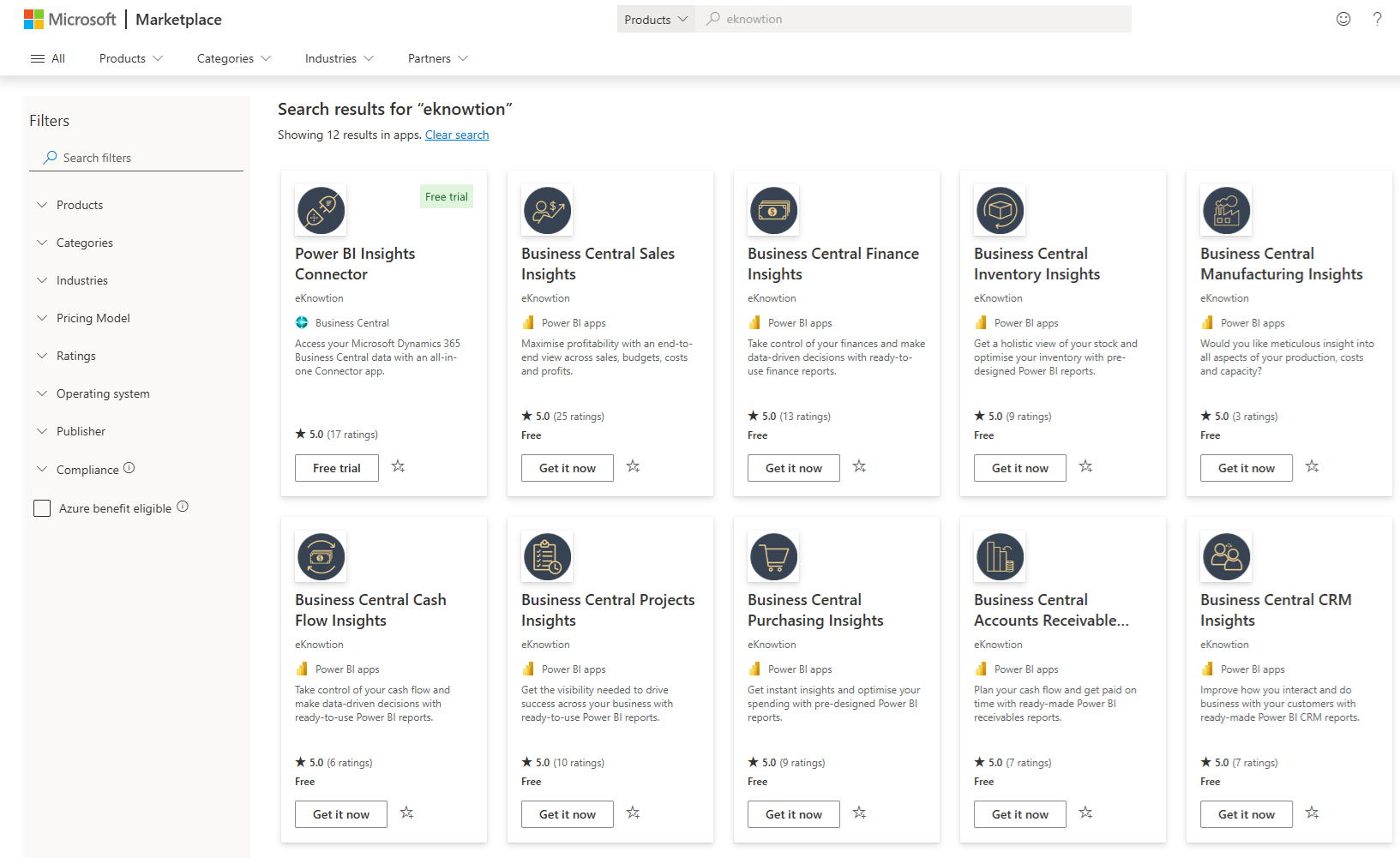
2. Click on the Power BI app you would like to install and click 'Get it now'
3. Choose Installation Option
You will be prompted with options:
Update the workspace and the app
Update only workspace content without updating the app
Install another copy of the app into a new workspace
👉 Important: Choose "Install another copy"
This ensures a new workspace is created instead of overwriting the existing one.
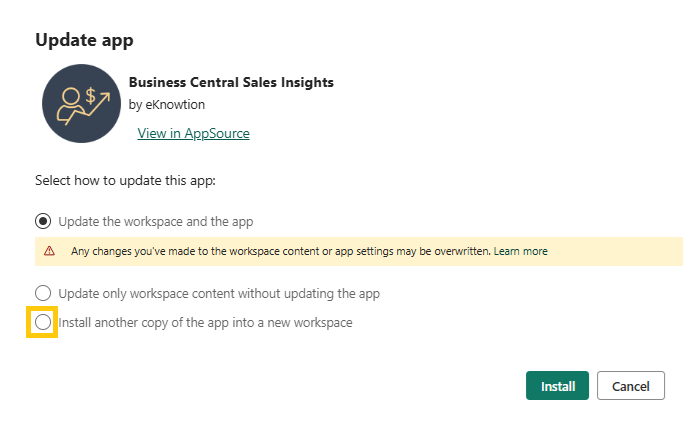
4. Name Your Workspace
Give your new workspace a clear name, such as:
"Sales Insights - Sandbox"
"Sales Insights - Consolidated"
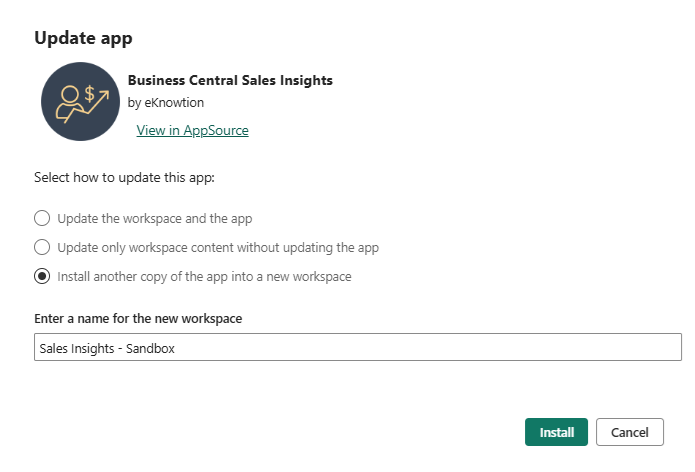
5. Install the App
Click Install, and the system will create a new workspace with the same app.
What Happens Next?
Once installation is complete:
You will see multiple workspaces for the same app
Each workspace can:
Connect to different environments
Have different user access
Apply different security rules
Important Considerations
While multiple workspaces are powerful, they come with trade-offs:
Data refresh must be configured separately for each workspace
Increased load on your Business Central system
Maintenance overhead grows with each additional workspace
👉 Because of this, creating multiple workspaces should be done only when there is a clear need.
Summary
Creating another workspace is a simple but powerful way to extend your reporting setup. It enables flexibility across environments, security models, and data structures, while keeping each use case cleanly separated.
If used thoughtfully, it can significantly improve how your organization manages and consumes data.